 Bahader Card Testing Protection
Stop bots testing stolen cards on your checkout.
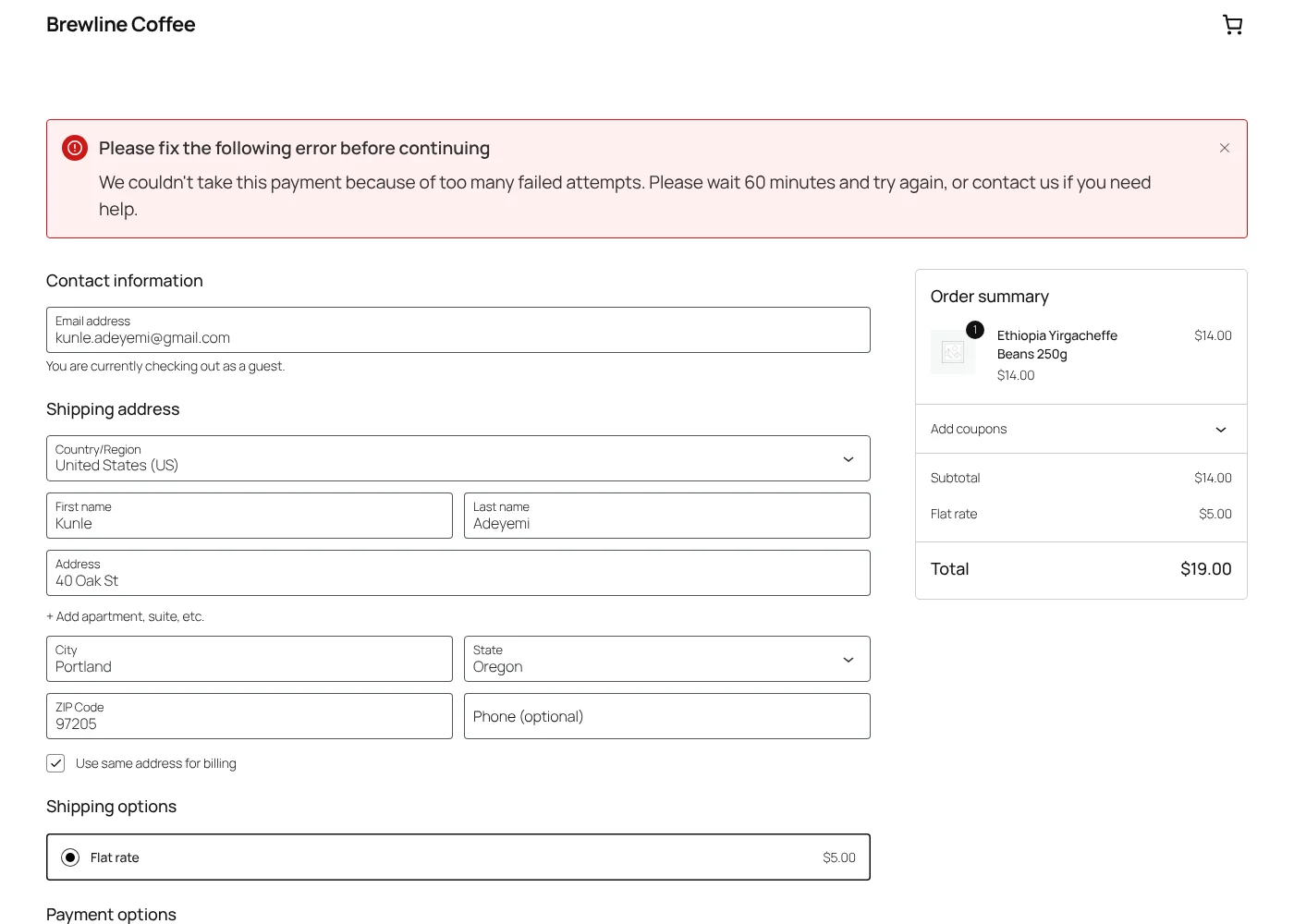
Card testers send hundreds of small payments through your store to find cards that work. Every decline costs you gateway fees and puts your merchant account at risk. Bahader Card Testing Protection spots the pattern and blocks it, while real customers check out as usual.
- Block checkout ready
- No outside service needed
- HPOS compatible
How it works
-
1
A bot hits your checkout
It tries card after card, through the checkout page or straight at the store's API.
-
2
The pattern is spotted
Too many attempts or failed payments from one visitor trips the limits you set.
-
3
The attacker is blocked
Further attempts are refused with a polite message, and every block is logged.
Solid protection, free
The free plugin works on its own, with no outside service, accounts or keys.
Rate limits
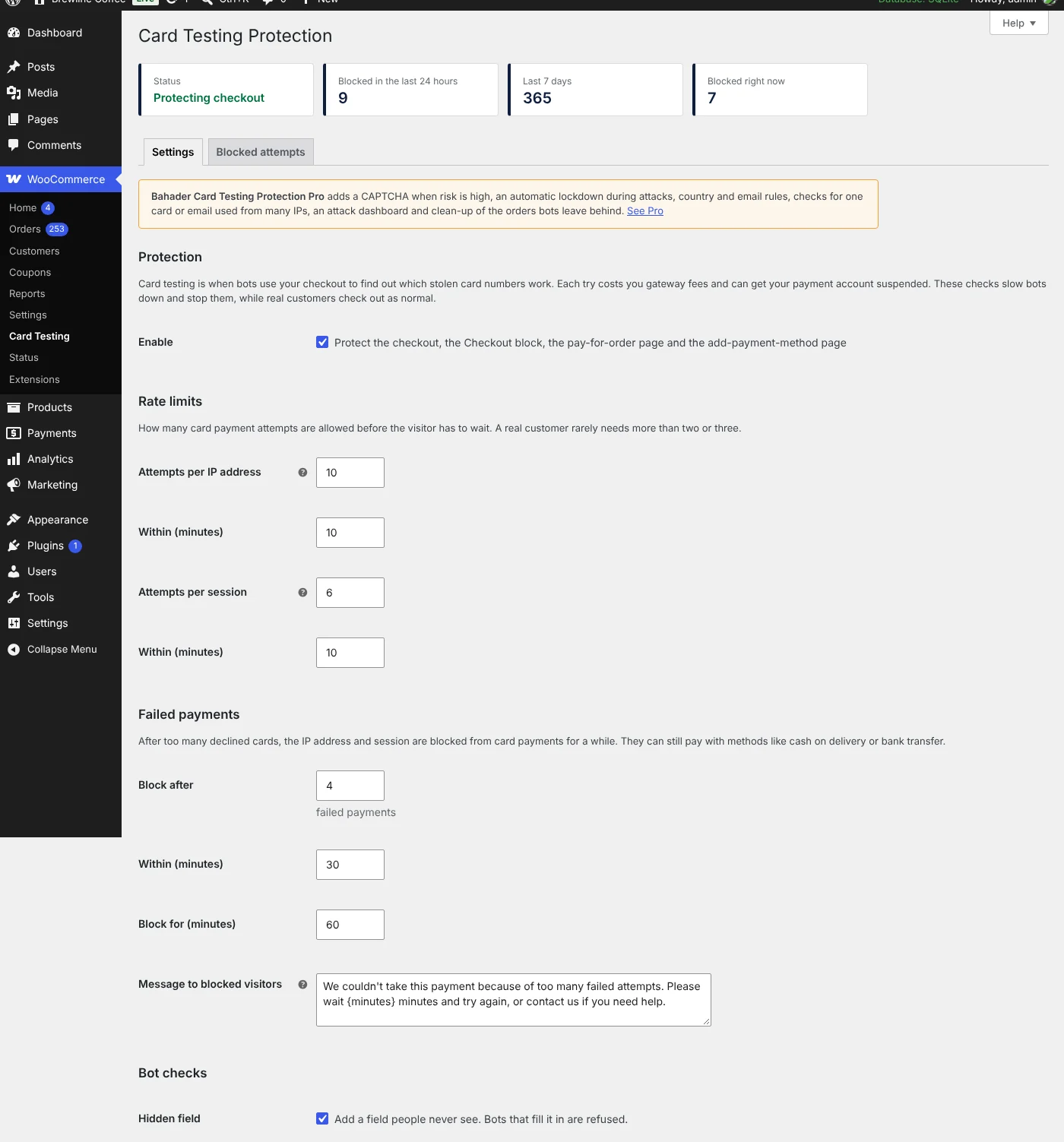
A cap on card payment attempts per IP address and per session, on the classic checkout and the Checkout block.
Blocks after declined cards
Too many declined cards and the IP address and session are blocked from card payments for a while, with a friendly message.
Checkout page token
Orders that weren't placed from your checkout page, such as scripts posting straight to the store's API, are refused.
Honeypot field
A hidden field real shoppers never see. Bots that fill it in are stopped.
Minimum total for cards
Optionally require a minimum order total for card payments, since testers use tiny amounts.
IP allow-list
Your own office, staff or trusted partners are never limited or blocked.
Log of blocked attempts
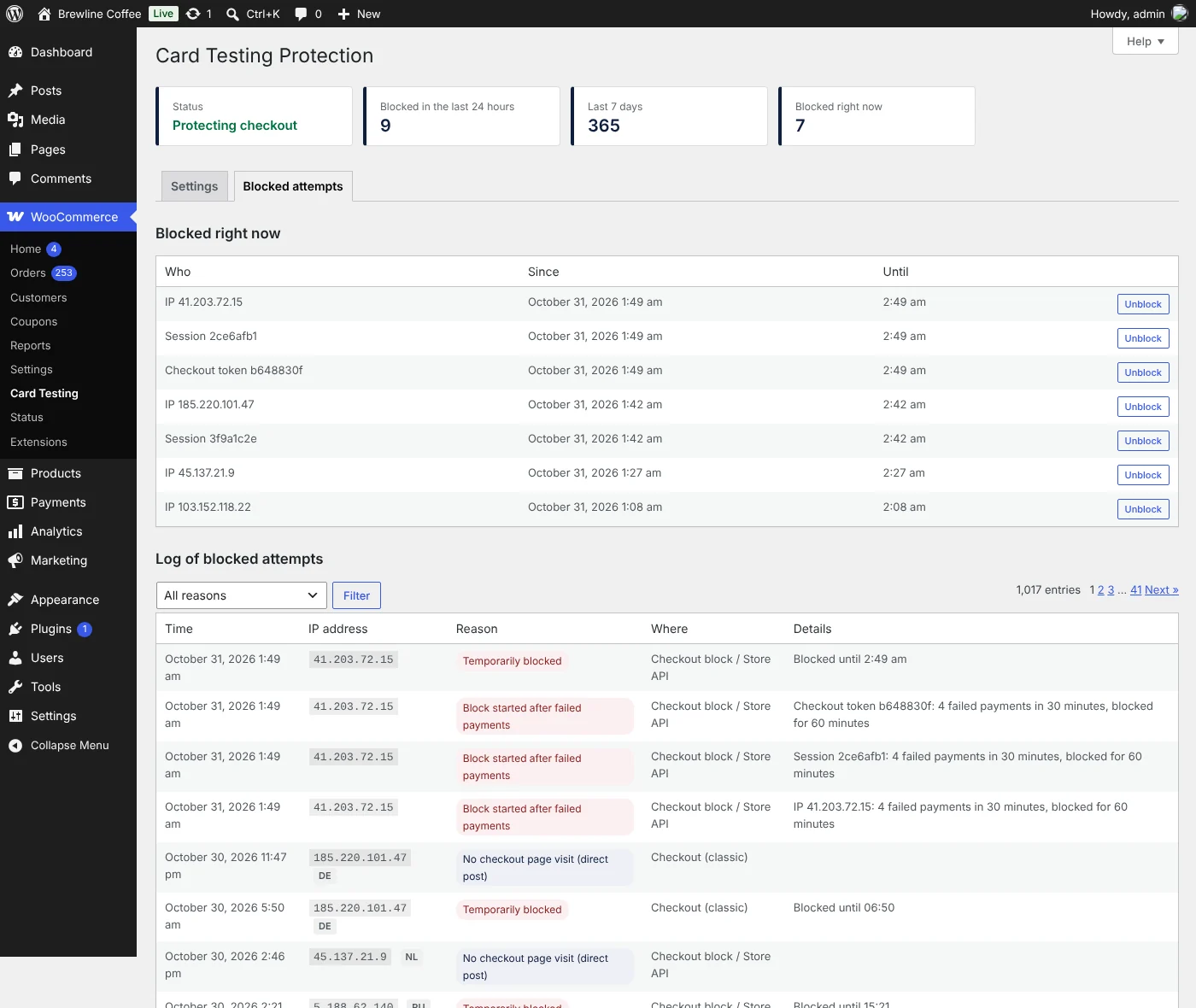
Every blocked attempt with the reason and time, and who is blocked right now. IP addresses are shortened after 30 days.
No outside service
Everything runs on your own site. No accounts, keys or third-party calls.
Pro: stop determined attacks
Pro installs next to the free plugin. It adds a CAPTCHA when risk is high, tightens the checkout during an attack and catches bots spread over many IP addresses.
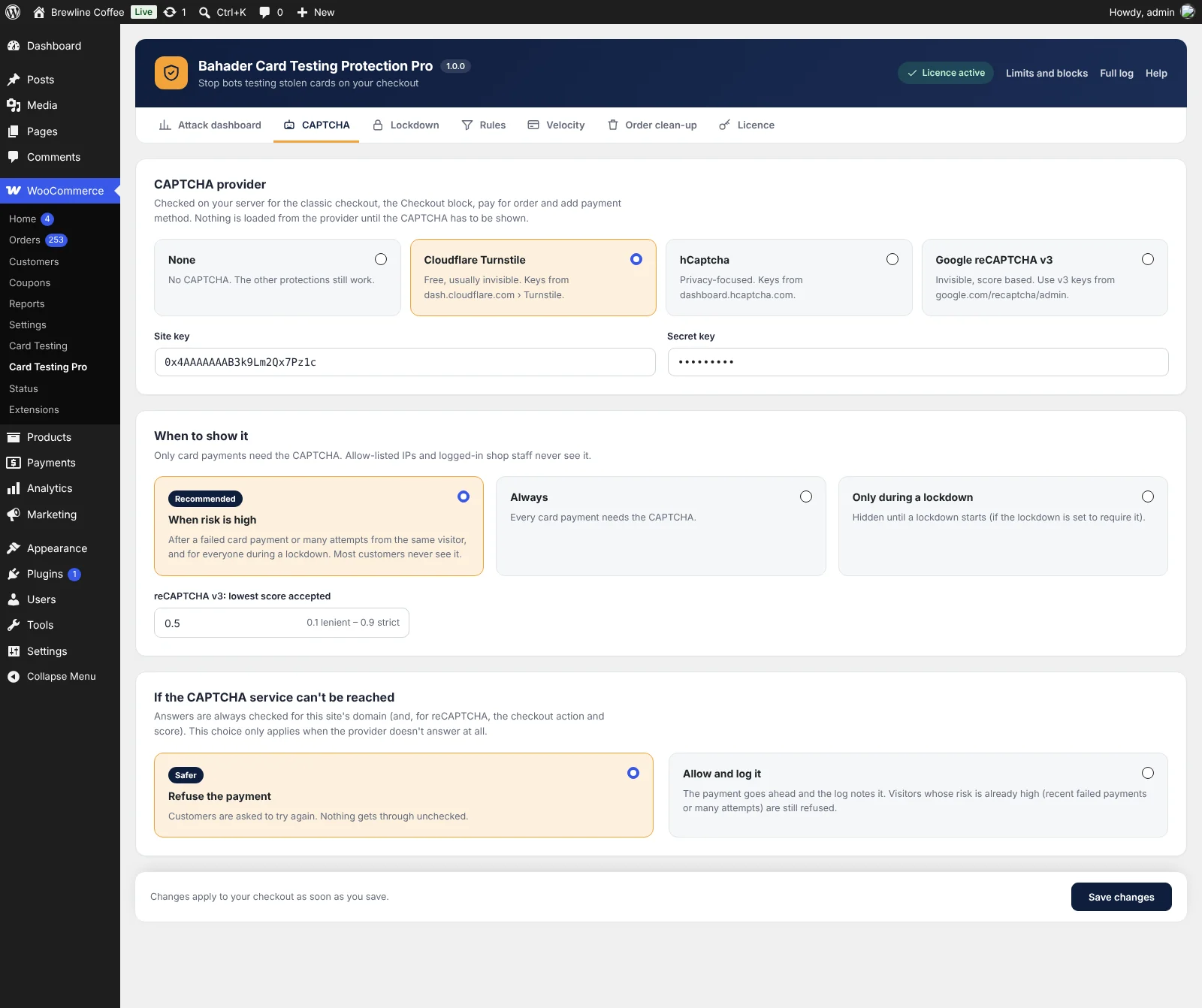
- CAPTCHA only when it is neededCloudflare Turnstile, hCaptcha or reCAPTCHA v3, shown after a failed card or many attempts, always, or only during a lockdown. Checked on your server.
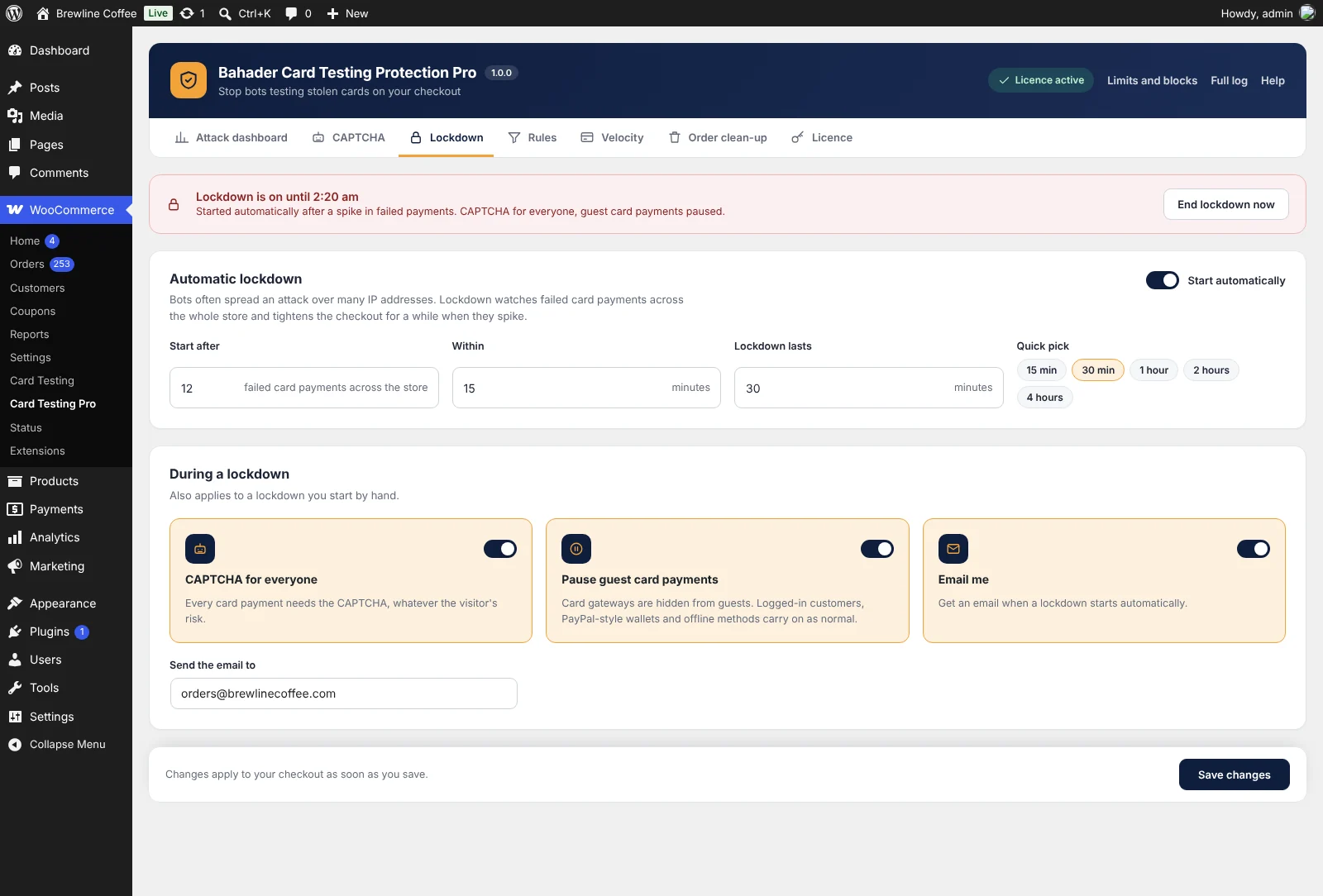
- Automatic lockdownWhen failed card payments spike across the store, every card payment needs the CAPTCHA for a set time. Optionally, card gateways are hidden from guests while wallets like PayPal keep working.
- Email alertAn email as soon as a lockdown starts, with a link to end it early.
- RulesBlock card payments by visitor country, email domain, billing and shipping mismatch, or order total, with allow rules for exceptions.
- Velocity checksRefuse a card or an email used from too many IP addresses in a short time, a common pattern when bots rotate IPs.
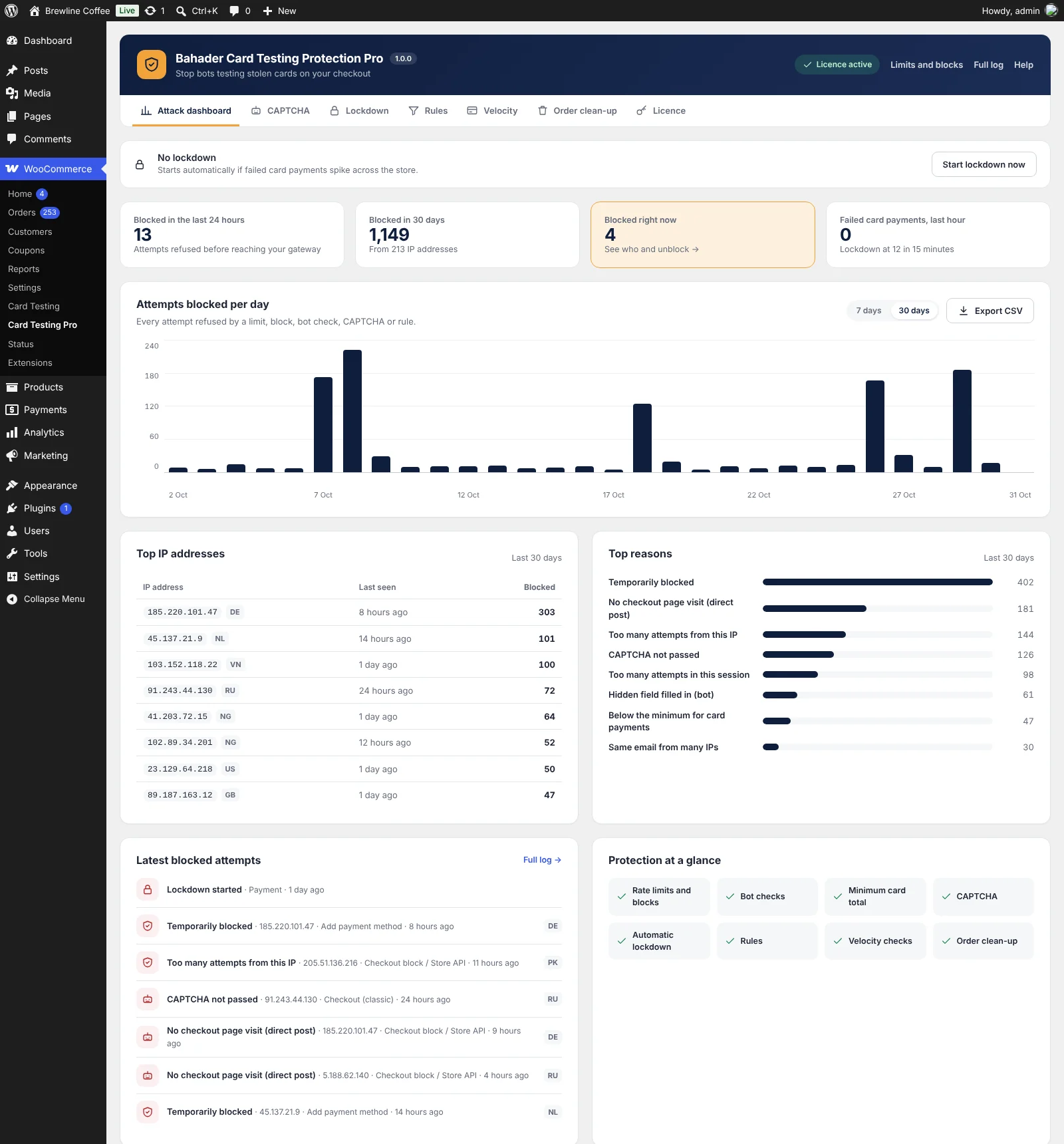
- Attack dashboardAttempts blocked per day over 7 or 30 days, top IP addresses with country, top reasons and who is blocked now.
- CSV exportDownload the full log for your payment provider or your records.
- Bot order clean-upFailed and unpaid orders bots leave behind are cancelled, binned or deleted every hour. Paid orders are never touched.
Inside Pro
Pro adds its own page in WooCommerce, with what matters at a glance and every setting a click away.
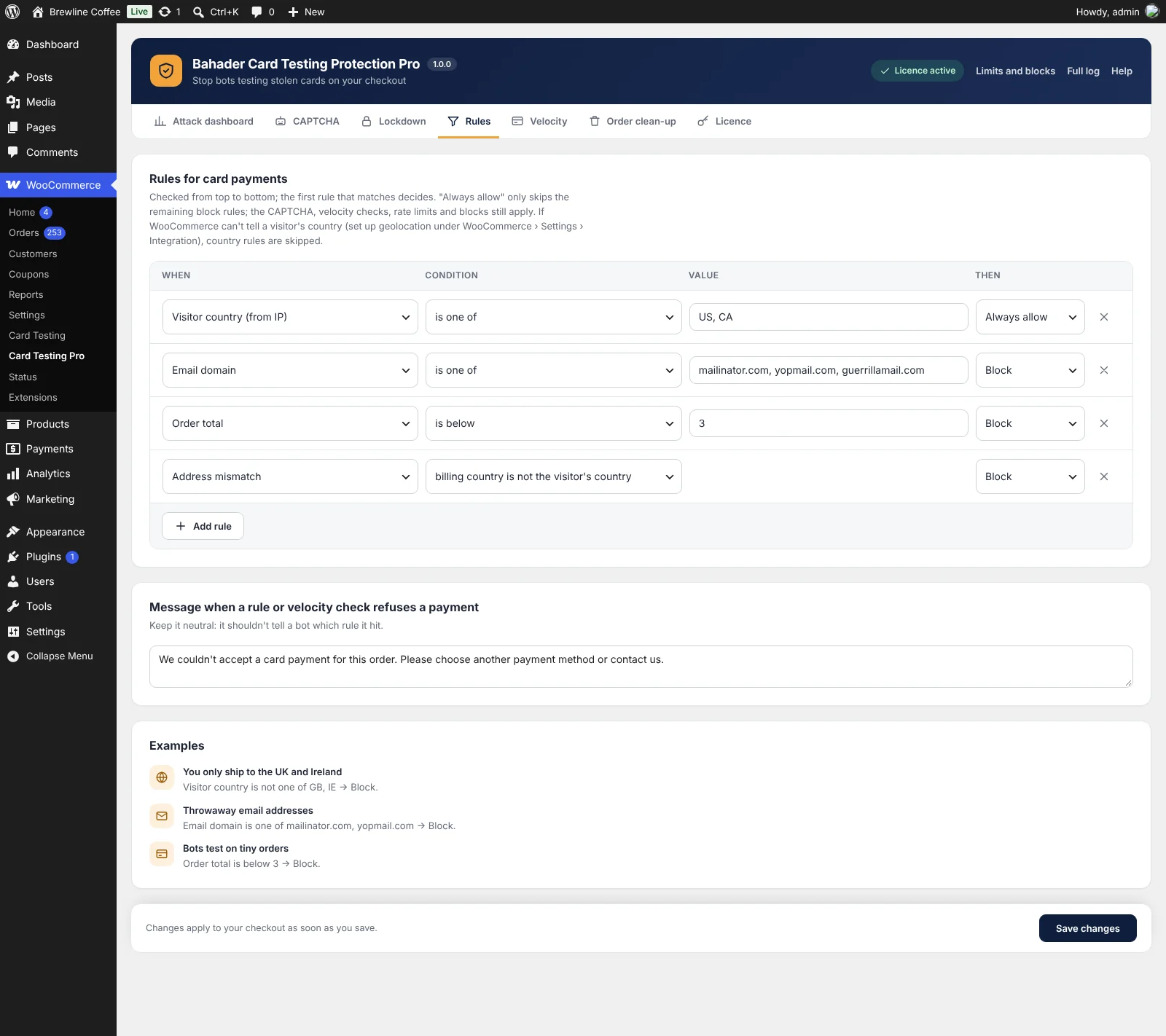
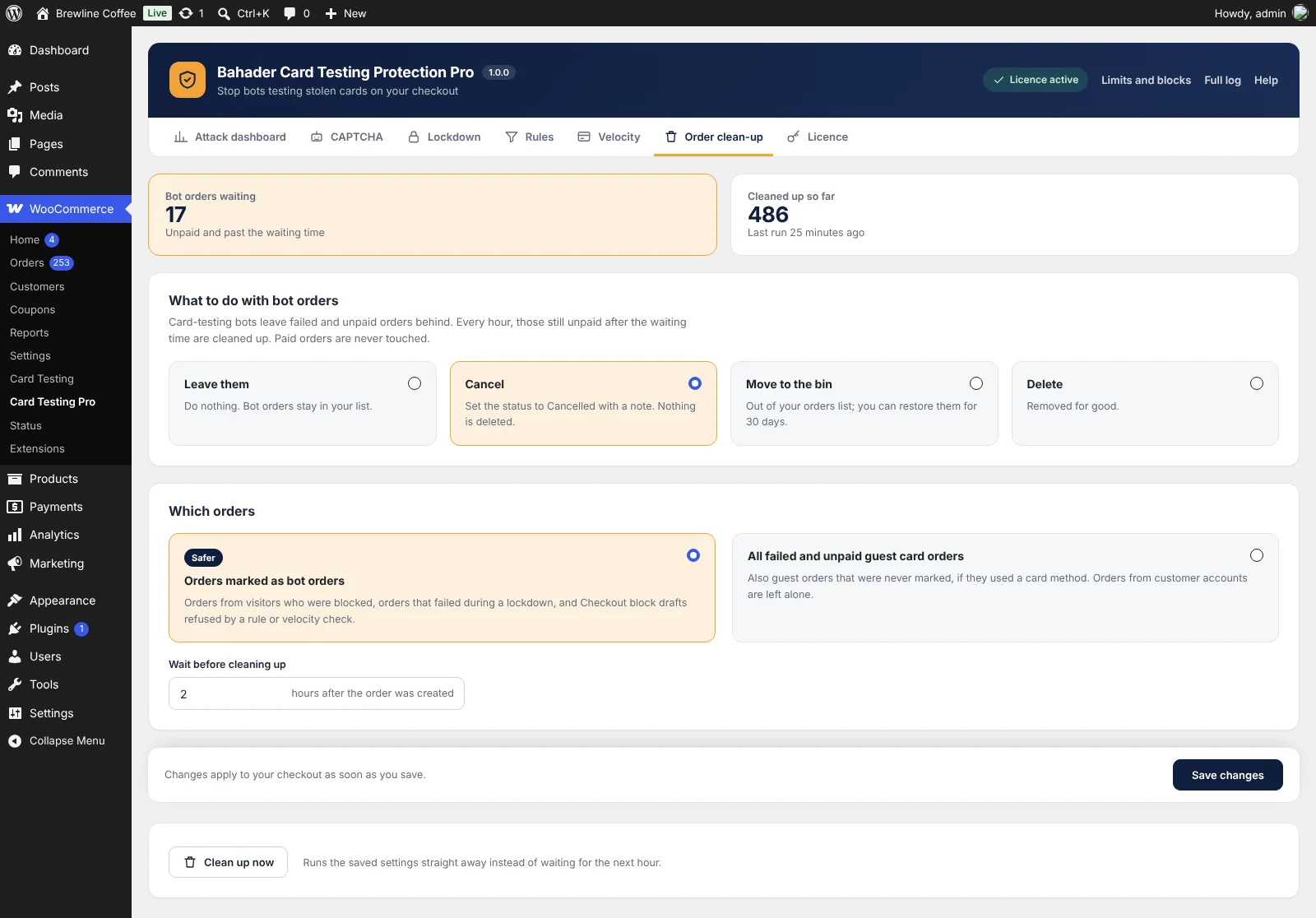
Free and Pro side by side
| Feature | Free | Pro |
|---|---|---|
| Rate limits per IP address and session | Included | Included |
| Blocks after declined cards | Included | Included |
| Checkout page token and honeypot | Included | Included |
| Minimum order total for cards | Included | Included |
| IP allow-list and log of blocked attempts | Included | Included |
| Classic checkout and Checkout block | Included | Included |
| CAPTCHA (Turnstile, hCaptcha, reCAPTCHA v3) | Not included | Included |
| Automatic lockdown with email alert | Not included | Included |
| Country, email, address and total rules | Not included | Included |
| Same card or email across many IPs | Not included | Included |
| Attack dashboard and CSV export | Not included | Included |
| Bot order clean-up | Not included | Included |
| Updates and email support | Forum | 1 year, by email |
Card Testing Pro, billed yearly
Every plan includes all Pro features, a year of updates and email support, and a 14-day money-back guarantee.
Single site
1 site
$49 / year
- All Pro features
- Updates for a year
- Email support
- Use on 1 site
Five sites
5 sites
$99 / year
- All Pro features
- Updates for a year
- Email support
- Use on 5 sites
Agency
25 sites
$199 / year
- All Pro features
- Updates for a year
- Email support
- Use on 25 sites
Prices in US dollars. Sales tax or VAT is added at checkout where it applies. Orders are processed by our online reseller Paddle.com, who is the Merchant of Record for all our orders. See the Terms and Refund policy.
Setting it up
-
1
Install the free plugin
In WordPress, go to Plugins › Add New, search for "Bahader Card Testing Protection", then install and activate it. Protection starts straight away with sensible limits.
-
2
Check the settings
Open WooCommerce › Card Testing. The defaults work out of the box; add your own IP addresses to the allow-list.
-
3
Add Pro
Upload the Pro zip under Plugins › Add New › Upload Plugin and enter your key under WooCommerce › Card Testing Pro › Licence.
-
4
Turn on the CAPTCHA
Add your Turnstile, hCaptcha or reCAPTCHA keys in Pro, choose when it appears, then place a test order to see it work with your theme.
Questions
Is the free version really free?
Yes. Rate limits, automatic blocks and the checkout token work fully, with no limits or trials. Pro is a separate add-on for stores under heavier attack.
How do I get my licence key?
Choose a plan and pay through our reseller Paddle. Your licence key and download link arrive by email from support@bahaderlabs.com within a few minutes. Install Pro next to the free plugin and enter the key under WooCommerce › Card Testing Pro › Licence.
Will my customers notice anything?
Not normally. Limits are well above what a real shopper does. In Pro, the CAPTCHA only appears for risky visitors or during a lockdown, if you choose that mode.
Does it work with the Checkout block?
Yes. Every check works on the classic checkout and the Checkout block, and on the pay-for-order and add-payment-method pages.
Which payment gateways does it work with?
Rate limits, blocks, CAPTCHA, lockdown, rules and email checks work with any card gateway. Pro's same-card check needs a gateway that uses WooCommerce's standard card fields, or one that passes a card fingerprint through a filter.
My site is behind Cloudflare or a proxy. Does that matter?
The plugin finds the real visitor address automatically for Cloudflare and for proxies on your own server. If your host uses a different proxy, choose how the IP address is found in the settings.
Do country rules need anything extra?
They use WooCommerce's own geolocation, which needs a free MaxMind licence key in WooCommerce. Without it, country rules are skipped.
What happens when my licence ends?
Pro keeps working on your store. You only stop getting new versions and email support until you renew.
Does the plugin send my store data anywhere?
The free plugin never contacts any outside server. Pro checks your licence key and looks for updates on our server, sending only your site address, the plugin version and the key. If you turn on a CAPTCHA, the provider you choose checks it when it is shown. Country rules use WooCommerce's own geolocation.
Can I get a refund?
Yes. If Pro isn't right for you, ask within 14 days of buying or renewing and you get your money back in full.