
 Bahader Subscription Payment Recovery
Win back the subscription payments that fail.
Cards expire, banks decline, and a subscriber you never meant to lose is gone. Bahader Subscription Payment Recovery retries failed renewals on a schedule you set and asks customers to update their card, so more of them keep paying.
- For WooCommerce Subscriptions
- HPOS compatible
- Emails you can edit
How it works
-
1
A renewal payment fails
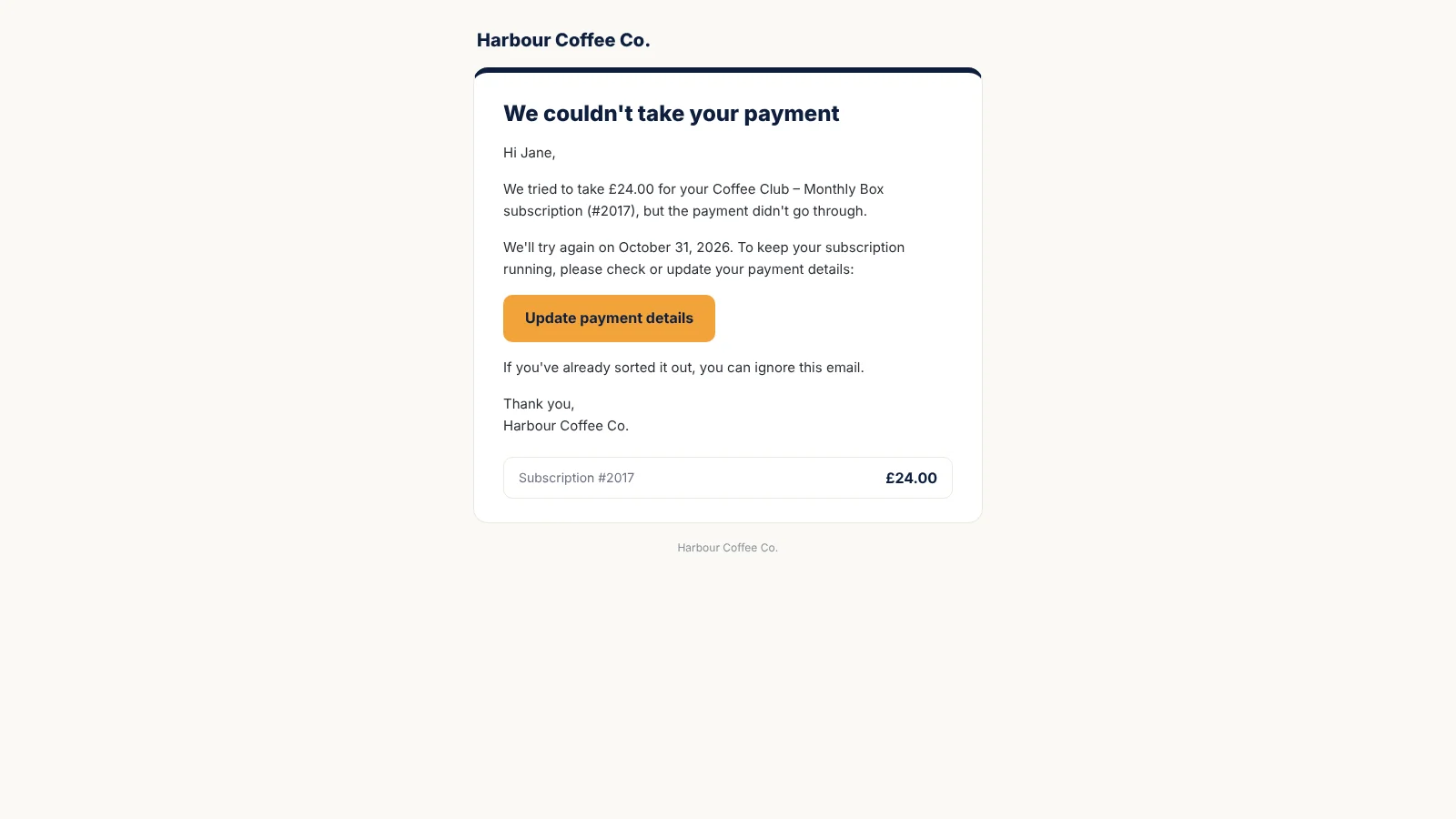
The plugin records it and emails the customer a link to update their payment method.
-
2
It retries on your schedule
Payment is tried again on the days you choose, with a reminder before each try.
-
3
The subscription carries on
Once the payment goes through, the subscription is active again. If it never does, it ends the way you choose.
Retries and reminders, free
The free plugin handles the whole recovery flow for WooCommerce Subscriptions, with no limits or trials.
Retries on your schedule
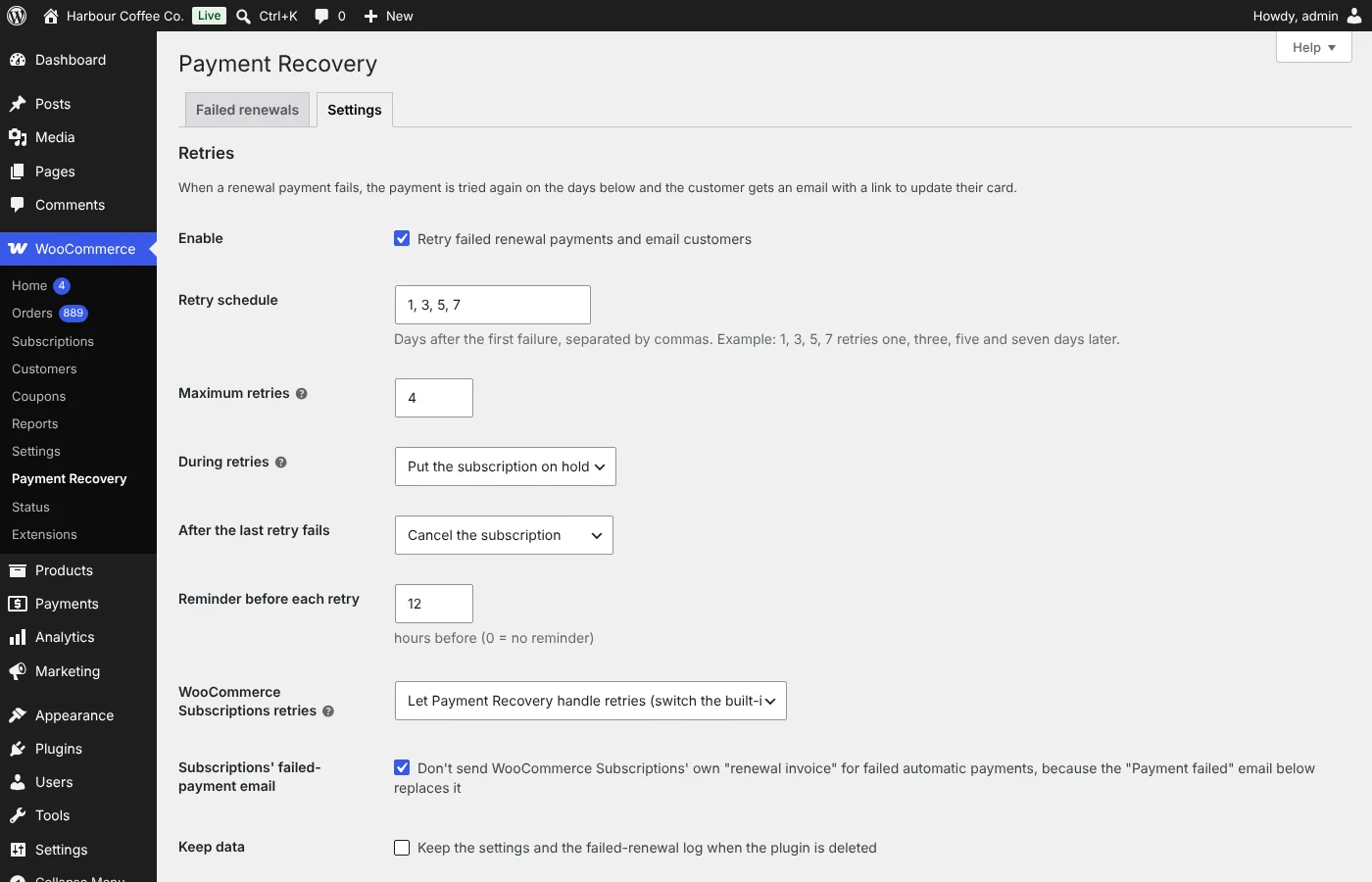
Choose the days to try again after a failed renewal, for example 1, 3, 5 and 7 days later, and how many tries.
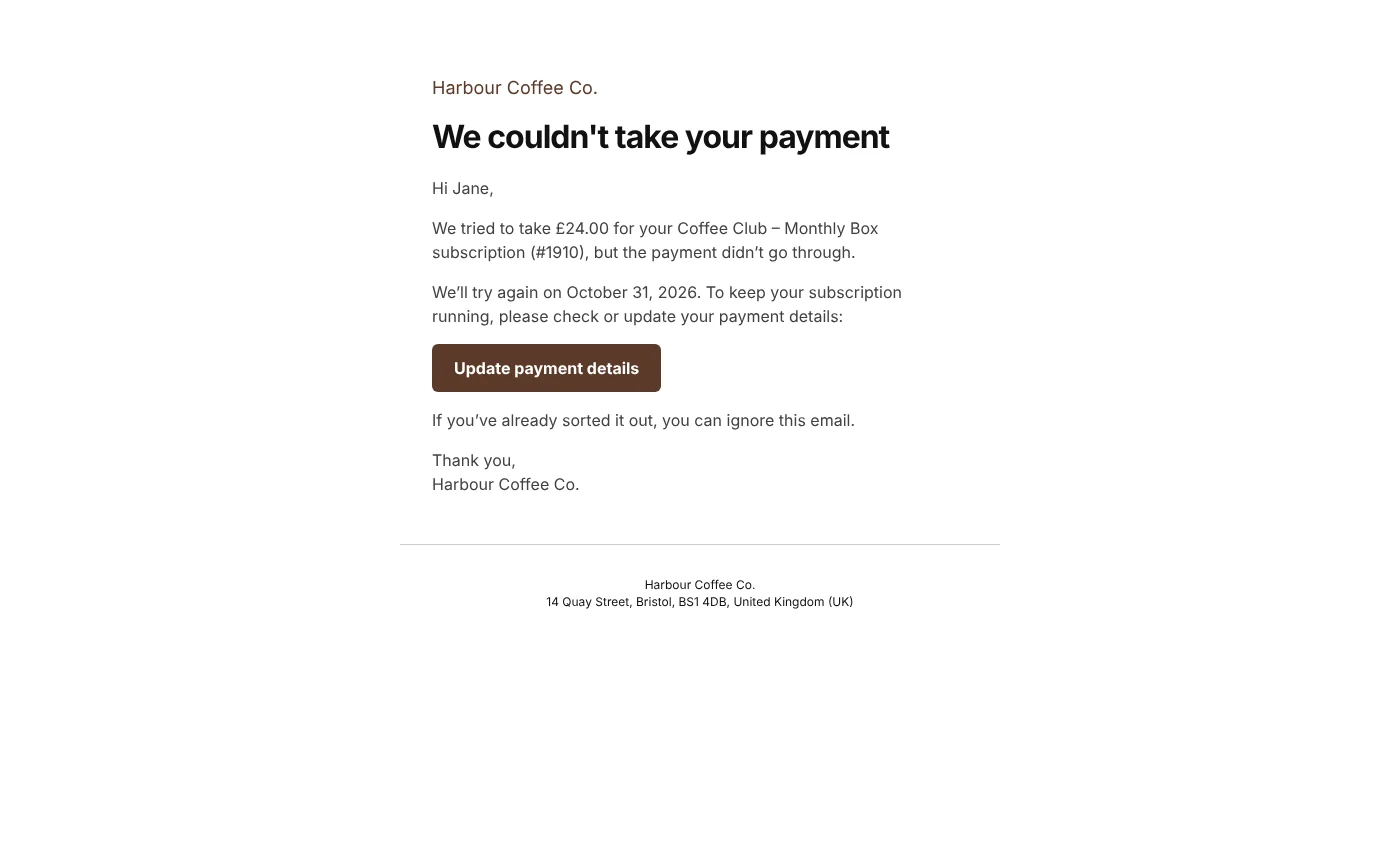
Email when a payment fails
Customers are told straight away, with a link to update their payment details.
Reminder before each retry
A short email before every retry, so customers have time to fix their card.
Every email editable
Subject and text for each email, with placeholders for the name, amount, date and update link.
On hold or active during retries
Keep the subscription on hold while payment is chased, or let it carry on as active.
A clear ending
After the last retry, cancel or suspend the subscription and send a final email.
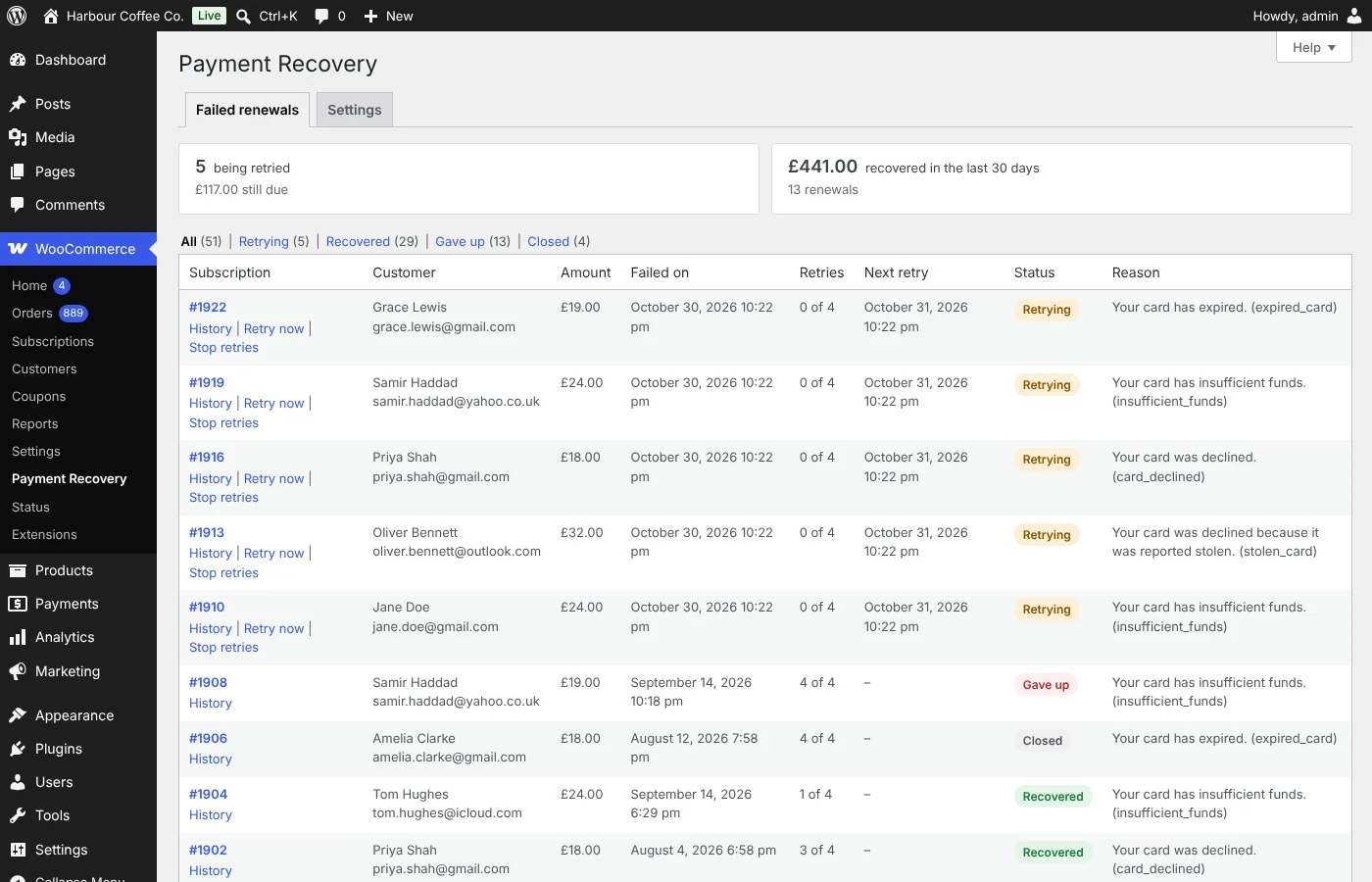
Log of failed renewals
Every failed renewal with its retries, next retry, status and the reason the bank gave, plus the full history.
Works with built-in retries
Takes over from WooCommerce Subscriptions' own retry system cleanly, or steps aside if you prefer it.
Pro: recover more, with less effort
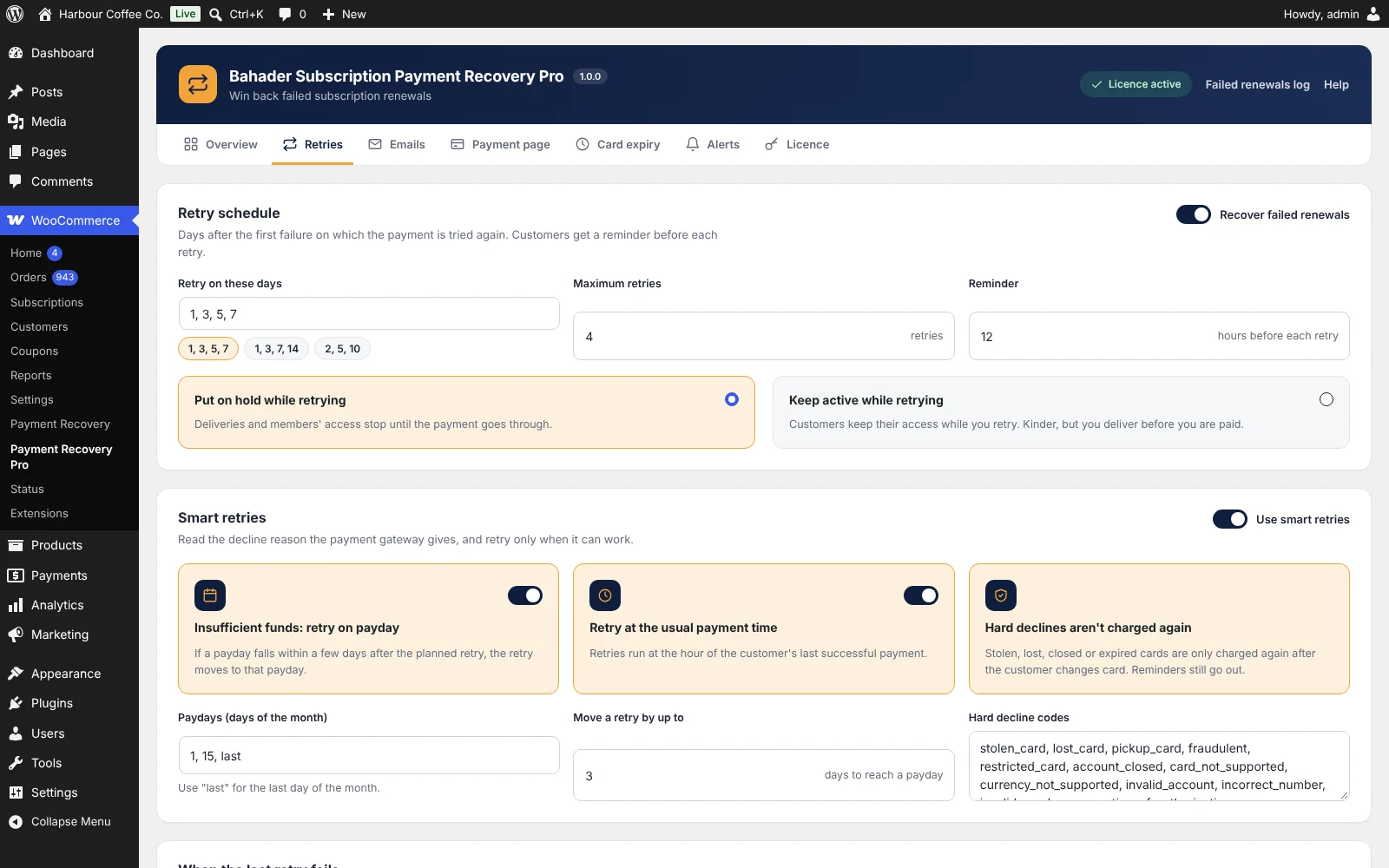
Pro installs next to the free plugin. It reads why each payment failed, retries when a retry can work, warns customers before their card expires and lets them pay without logging in.
- Smart, decline-aware retriesStolen, lost, closed or expired cards aren't charged again until the customer changes card. Other declines are retried on your schedule.
- Payday timingInsufficient-funds retries move to a nearby payday, and every retry runs at the hour the customer last paid.
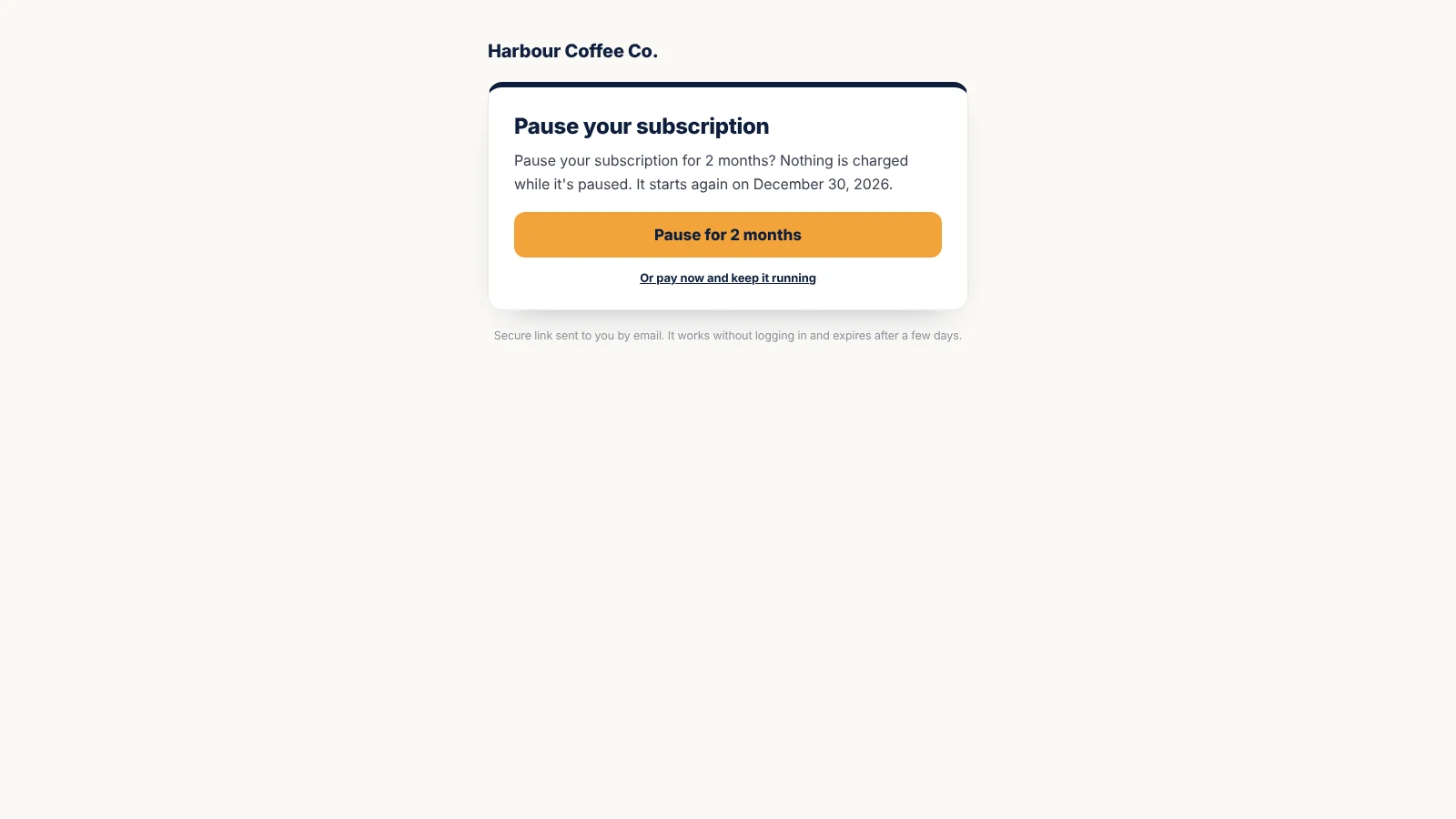
- Payment page without loginA signed link that expires, where customers pay the overdue renewal. The new card is saved for future renewals.
- Card-expiry remindersCustomers whose saved card expires before their next renewal get one email asking them to update it.
- Pause instead of cancelAfter the last retry, customers can pause for 1, 2 or 3 months instead of cancelling. Paused subscriptions restart by themselves.
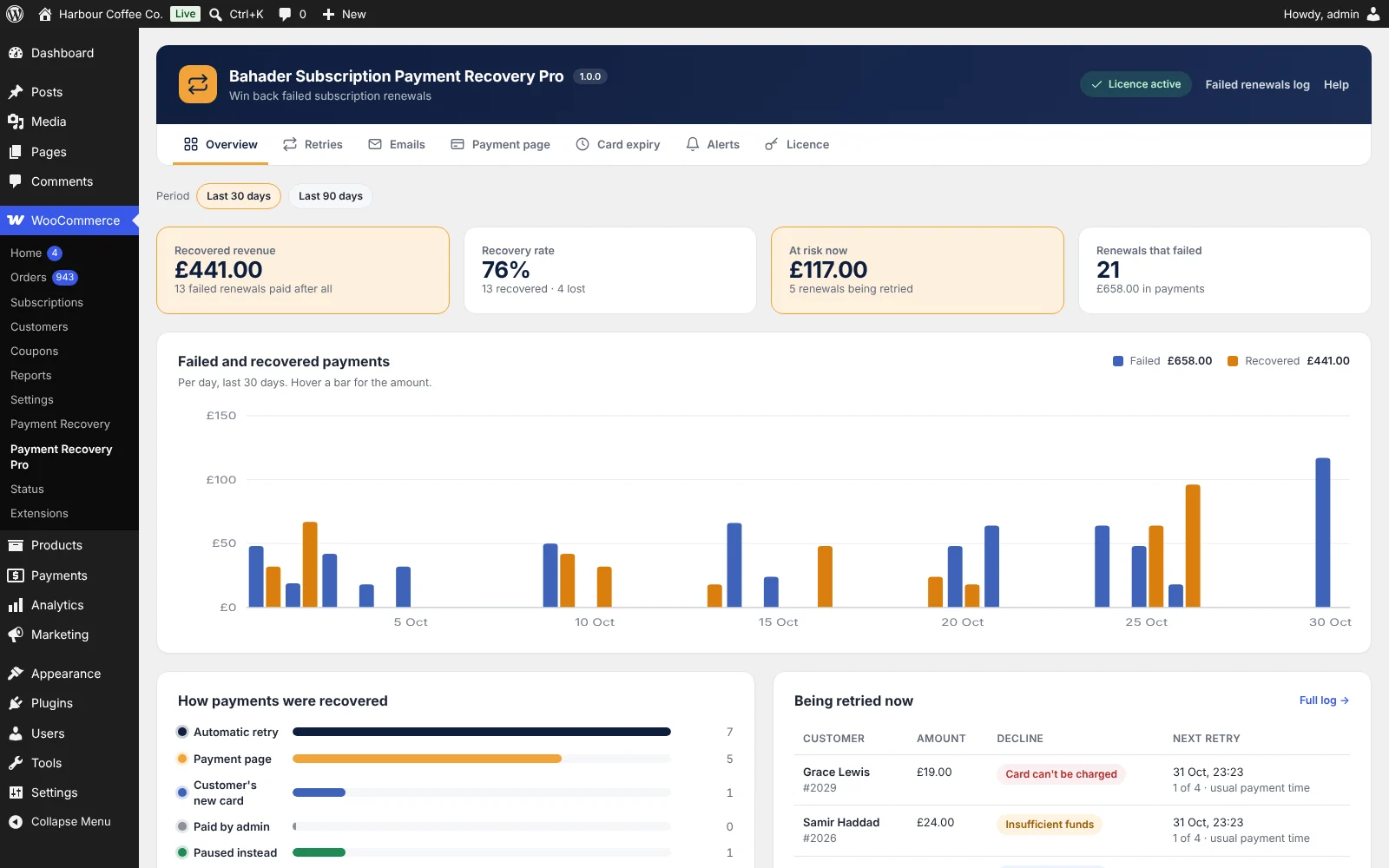
- Recovery dashboardRecovered revenue, recovery rate, revenue at risk, a 30 or 90-day chart and the renewals being retried now.
- Admin alertsAn email when a large renewal fails, when a subscription is lost, and optionally when a payment is recovered.
- Branded emailsYour logo and colours, a large button and the amount due, with previews and test emails.
Inside Pro
Pro adds its own page in WooCommerce, with what matters at a glance and every setting a click away.

Free and Pro side by side
| Feature | Free | Pro |
|---|---|---|
| Retries on a schedule you choose | Included | Included |
| Failure email and reminder before each retry | Included | Included |
| Editable emails with placeholders | Included | Included |
| Cancel or suspend after the last retry | Included | Included |
| Log of failed renewals with history | Included | Included |
| Decline-aware retries and payday timing | Not included | Included |
| Payment page without login | Not included | Included |
| Card-expiry reminders | Not included | Included |
| Pause instead of cancel | Not included | Included |
| Recovery dashboard and admin alerts | Not included | Included |
| Branded email design | Not included | Included |
| Updates and email support | Forum | 1 year, by email |
Payment Recovery Pro, billed yearly
Every plan includes all Pro features, a year of updates and email support, and a 14-day money-back guarantee.
Single site
1 site
$49 / year
- All Pro features
- Updates for a year
- Email support
- Use on 1 site
Five sites
5 sites
$99 / year
- All Pro features
- Updates for a year
- Email support
- Use on 5 sites
Agency
25 sites
$199 / year
- All Pro features
- Updates for a year
- Email support
- Use on 25 sites
Prices in US dollars. Sales tax or VAT is added at checkout where it applies. Orders are processed by our online reseller Paddle.com, who is the Merchant of Record for all our orders. See the Terms and Refund policy.
Setting it up
-
1
Check WooCommerce Subscriptions
Payment Recovery works with WooCommerce Subscriptions and a payment gateway that takes automatic renewals, such as Stripe or WooPayments.
-
2
Install the free plugin
In WordPress, go to Plugins › Add New, search for "Bahader Subscription Payment Recovery", then install and activate it.
-
3
Set the retries and emails
Open WooCommerce › Payment Recovery › Settings. The default schedule retries after 1, 3, 5 and 7 days; adjust it and the emails to suit your store.
-
4
Add Pro
Upload the Pro zip under Plugins › Add New › Upload Plugin, enter your key under WooCommerce › Payment Recovery Pro › Licence, then make a test payment on the payment page with your gateway.
Questions
Is the free version really free?
Yes. The retry schedule, customer emails and the failed renewals log work fully, with no limits or trials. Pro is a separate add-on for stores that want to recover more.
How do I get my licence key?
Choose a plan and pay through our reseller Paddle. Your licence key and download link arrive by email from support@bahaderlabs.com within a few minutes. Install Pro next to the free plugin and enter the key under WooCommerce › Payment Recovery Pro › Licence.
Do I need WooCommerce Subscriptions?
Yes. It works with WooCommerce Subscriptions, or another plugin built on the WooCommerce Subscriptions core.
Which payment gateways does it work with?
Gateways that take automatic renewals in WooCommerce Subscriptions, such as Stripe, WooPayments, Square and Braintree. Retries charge through the gateway exactly like a normal renewal. Some gateways load their own card form, so make a test payment on the Pro payment page after installing.
How does Pro know why a payment failed?
It reads the reason the gateway records on the renewal order, for example "insufficient_funds" or "stolen_card". You can edit the list of decline codes that shouldn't be retried.
Is the payment page without login safe?
Each link is signed for one failed renewal, expires after the number of days you choose (7 by default) and stops working once the renewal is paid. Opening the page changes nothing; paying or pausing needs a button press.
What if WooCommerce Subscriptions' own retries are switched on?
Payment Recovery takes over and switches the built-in retries off, so customers aren't charged or emailed twice. You can keep the built-in system instead if you prefer.
Does it track customers?
Only if you turn on open and click counting in Pro, which is off by default. A suggested privacy policy paragraph is added for you when it is on.
What happens when my licence ends?
Pro keeps working on your store. You only stop getting new versions and email support until you renew.
Does the plugin send my store data anywhere?
The free plugin never contacts any outside server. Pro checks your licence key and looks for updates on our server, sending only your site address, the plugin version and the key.
Can I get a refund?
Yes. If Pro isn't right for you, ask within 14 days of buying or renewing and you get your money back in full.